
Today is Day 16 of the @hivecreatorsday challenge, and we were asked to give a Hive tutorial. I know many of you use Hive Keychain, so I’m going to share a few things you might not know about the app “Keychain” and how you can actually use it. I hope you learn something new today.
A few days ago, I had my tokens stuck, but I got them back quickly. Thanks to @stoodkev for resolving it faster than I expected. I didn’t even need to complain, as I had already seen similar issues and the responses to them.
Keychain Extension vs Keychain App
Firstly, did you know there is a difference in user experience when using the keychain extension on a computer and using the keychain app on a mobile device? For the keychain extension, you can get that from the keychain website, and the app can be gotten from your app store or Google Play Store. The extension allows you to make use of the keychain on your computer's browser. Making it easy to import your keys whenever you want to use the sign in with keychain option, since the extension is downloaded on your computer.
On mobile, the keychain works the same way as the extension, but you cannot use the sign in with keychain method on a website that allows sign in with keychain, unless you use the in-app browser on keychain.
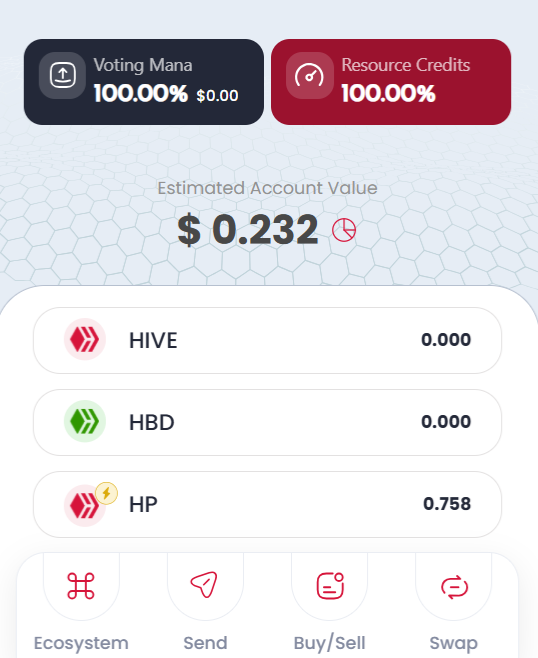# Keychain Android vs Keychain iOS The app is available for both Android and iOS devices, but there is a slight difference between the two apps. On Android devices, there is an availability of the swap button, but this is not present in the app for iOS. Right on the app screen, you will see the button in the navbar section of the screen, like in the screenshot below:

How it looks using an IOS device
Swapping on the mobile app is quite easy, and you do not have to worry about any processing. Keychain does all the work for you. Most importantly, you can swap from any token into any token. If you have HBD and you want to swap it into SOL. All you need to do is click on the swap button, choose your HBD, and select SOL under the token you want to swap into. These tokens are given the name **SWAP.[Name of the coin]**. Since it is Solana, it will be SWAP.SOL. 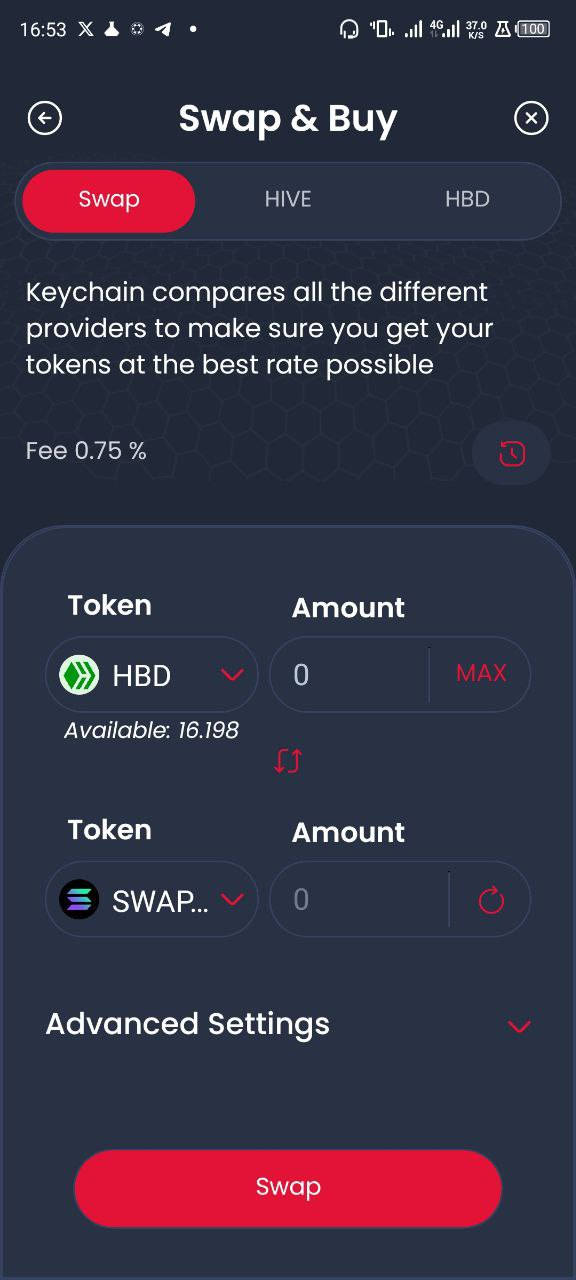
On the backend, Keychain will take care of swapping the token into SWAP.HIVE and then swap it into the native token you want. 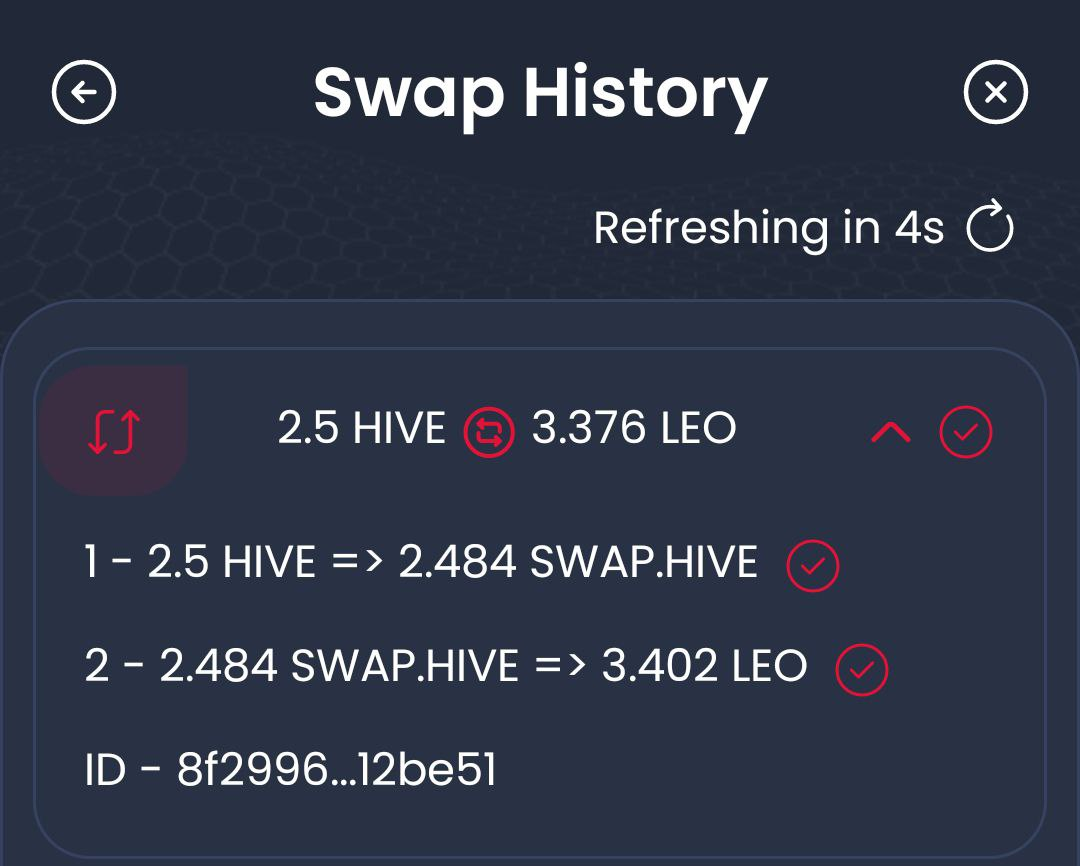
As you can see, the swap from HIVE to LEO was first converted to SWAP.HIVE was then converted to LEO, and all this was done at the backend. You can see all this from your swap history.
For more info about anything Keychain, check out the Keychain official blog: @keychain
To download the extension for your computer browser:
www.hive-keychain.com
For mobile device:
Check the app store or google play store.
To connect with the team and community, use the Discord invite:https://discord.com/invite/M3xsZXSVQK


♟♟♟♟♟♟♟♟♟
Thanks For Reading!
Posted Using INLEO
